Email Sequence Guide: Blank Page to Running Sequence
To build an email sequence, decide the one thing it must get a person to do, name the event that starts it and the event that stops it, draw the emails on a single page, and only then choose a tool by where the trigger comes from: a form or tag (MailerLite, Kit, Brevo, Mailchimp), a product event (Customer.io, Loops, Userlist), a CRM stage (ActiveCampaign, HubSpot), a store event (Klaviyo, Omnisend, Drip) or your own code (Resend, Postmark). Prices on this page were read from the vendors' pages on 7 October 2026, and the cost table prices 1,000, 5,000 and 10,000 contacts.
The order matters because the usual mistake runs the other way: a team opens a tool, builds six emails in its editor, and discovers in week three that the tool cannot see the event that should have started or stopped them. This page walks the seven steps from a blank page to a live sequence, with two worked examples in different settings. Each type of sequence has its own deeper page: welcome sequences, trial conversion, lead nurture and sales follow-up. Use this page to decide what to build and where; use those for the copy.
Step 1: write the outcome as one sentence
A sequence is a set of emails that exists to move one kind of person to one next action inside a stated window. Write that sentence before anything else: "Within N days of X, a person does Y." If the sentence needs the word "and" between two actions, you have two sequences. The table gives one outcome sentence per common type, with the trigger and stop that usually go with it.
| Type | Outcome sentence | Usual trigger | Usual stop |
|---|---|---|---|
| Welcome | Within 7 days of signup, a new subscriber clicks through to one useful page | Form submitted or list joined | Unsubscribe, or the first purchase |
| Onboarding | Within 3 days of creating an account, a user completes the first real task | Account-created event | The activation event itself |
| Nurture | Within 30 days of downloading a guide, a lead books a call | Form plus a source tag | Booked call, or any reply |
| Trial to paid | Before day 14 of a trial, the account starts a paid plan | Trial-started event | Subscription started, or trial ended |
| Follow-up | Within 10 days of a quote, a prospect answers yes or no | CRM stage change | Any reply, or a new stage |
The right-hand column is the one people skip. A stop that is not written down becomes the email a customer receives the day after they paid.
Step 2: name the trigger, and the record that proves it
A tool can only start a sequence from a fact it can see. So for each trigger, ask where that fact is recorded and who writes it. The answer decides the tool category in step 4.
| The fact | Where it is recorded | What has to happen for the tool to see it |
|---|---|---|
| Someone submitted a form or joined a list | The email tool, or your website form | Nothing extra if the form belongs to the tool; an integration or webhook if it does not |
| Someone clicked a link or got a tag | The email tool | Nothing: this is the native case for form-and-tag tools |
| A user did something in your app | Your application database | Your code sends a named event with an identifier for the person |
| A trial started, ended or converted | Your billing system | A webhook from billing, turned into an event by your code or an integration |
| A deal or lead moved stage | Your CRM | Sequence lives in the CRM, or a sync runs between the two |
| A cart was abandoned or an order placed | Your store platform | The store integration of the email tool |
Two checks keep this honest. First, list only data you hold today: if the sentence in step 1 depends on "the user did X" and nothing in your product records X, the sequence has to run on time and clicks instead. Second, write the identifier that joins the records. A trial event keyed to a user ID and a billing event keyed to an email address will not join unless you map them, and the stop then never fires.
Step 3: put the whole sequence on one page
The sequence map is a table with four columns: the day offset counted from entry, the job of the email, the condition under which it sends, and the stop rule that applies at that point. Writing the condition column forces the decisions that otherwise get made inside the editor at 11 pm. Three rules keep the map short.
- Every email has one job, stated in a sentence before any subject line is written.
- Every email that depends on an earlier action says so in the condition column ("only if no first project").
- The stop rules sit at the foot of the page and apply to every row, including the last.
Worked example A: a checklist download on a consulting site
The setting: a solo consultant gives away a pricing checklist on a landing page. The outcome is a booked 20-minute call within 12 days. The only data available is the form submission, link clicks and the booking tool, so this is a form-and-tag sequence.
| Day | Job of the email | Sends only if |
|---|---|---|
| 0 | Deliver the checklist, say how many emails follow and ask one reply question | Always; tag source-checklist on entry |
| 2 | Teach the single most common pricing mistake, with a worked example | No booked tag |
| 5 | Show one real project and what was charged, or a walk-through if none can be shared | No booked tag |
| 8 | Ask "which is closest to you?" with two links; each click applies a tag | No booked tag |
| 10 | Offer the 20-minute call, with the booking link and what to bring | No booked tag |
| 12 | Close the loop: one plain note, then the person moves to the monthly newsletter list | No booked tag |
Stop rules: the booked tag (applied by the booking tool's integration), a reply that the consultant answers by hand, and unsubscribe. What it asks of the tool: forms, a click that applies a tag, a condition on a tag, and enough steps. Six emails with five waits is eleven steps before the day-8 branch, and MailerLite's automation page lists 5 steps on the Free plan and 100 on Comfort, while Kit's pricing page lists sequences from the Creator plan and not on Free. The sequence is the thing that decides which plan.
Worked example B: a 14-day trial that should end in a paid plan
The setting: a small project-management SaaS with a 14-day trial and no credit card up front. The outcome is a paid subscription before the trial ends. Data available: trial_started and first_project_created from the app, and subscription_started from the billing system. This is a product-event sequence, and it branches on whether the activation event has happened.
| Day | Job of the email | Sends only if |
|---|---|---|
| 0 | Name the first task and link straight to it | Always |
| 1 | Three-step how-to for the first project | No first_project_created yet |
| 1 | Point to the next feature after the first project | first_project_created has happened |
| 3 | Ask for a reply with the one thing that is blocking them; offer a short call | Still no first_project_created |
| 3 | Suggest inviting one teammate | Activated, and no invite sent |
| 7 | Recap what the account has done so far | Account has at least one event after day 0 |
| 11 | State plainly what happens on day 14 and what the plans cost | No subscription_started |
| 13 | Last full day: one reason to decide now, and how to export data | No subscription_started |
| 15 | Trial ended: how to come back, then stop | No subscription_started |
Stop rules: subscription_started at any point, account deleted, and unsubscribe from marketing mail. Failed-card and receipt emails are not part of this sequence; the billing system owns them, and the marketing sequence is built to stay out of their way. What it asks of the tool: a custom event as the trigger, a condition on an event inside the sequence, and a stop on an event. That list rules out most form-and-tag tools and points at the product-event category. For the copy side, see trial conversion sequences.
Step 4: choose the tool category by where the trigger lives
Once the trigger source is known, the category follows. The table lists twelve tools by category, what the vendor's own pages say starts a sequence, the plan limit that matters most for a sequence, and the entry price. Developer-API sending (Resend's transactional product, Postmark) is covered below the table because it prices by emails, not contacts.
| Tool and category | What starts a sequence | Limit that matters | Entry price |
|---|---|---|---|
| MailerLite Form and tag | Its automation page lists joins group, clicks a link, completes a form, updates a field, date and ecommerce triggers | Free: 3 active automations, 5 steps. Comfort: 50 automations, 100 steps | Free to 250 subscribers; Comfort from $12 a month |
| Kit Form and tag | Its automations page lists sign-up, link click, purchase and inactivity | Sequences and Visual Automations start on Creator, not Free | Free to 10,000 subscribers; Creator $33 a month at 1,000 ($390 billed yearly) |
| Brevo Form and list | Contact lists and forms | Free plan: 300 sends a day, automation for up to 2,000 contacts | Starter from $9, Standard from $18 a month, priced by email volume |
| Mailchimp Form and tag | Audience and tag based | Free: 250 contacts and 500 sends a month. Standard sends up to 12 times the contact count | Essentials from $13; Standard from $20 at 500 contacts |
| Customer.io Product event | Its docs list event, attribute or segment, form submission, important date and webhook triggers | Essentials lists 1 million emails a month and no managed deliverability | Essentials $100 a month, billed monthly, for 5k profiles |
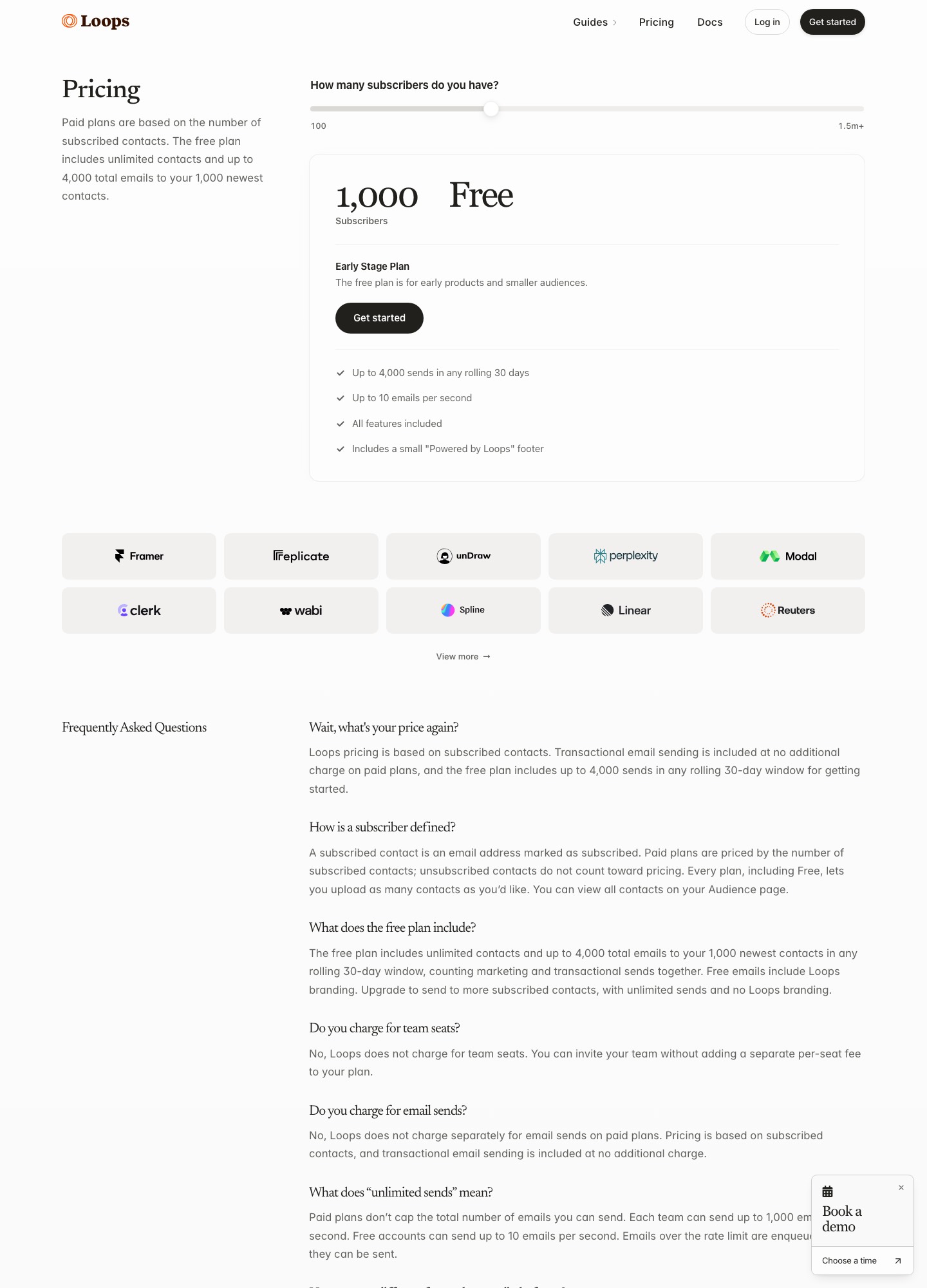
| Loops Product event | Its docs list contact added, contact updated, contact added to list and event received | Free: up to 4,000 sends in any rolling 30 days to the 1,000 newest contacts | Free; $99 a month at 9,998 subscribers |
| Userlist Product event | Its docs list user and company events, segment joins and leaves, and form submissions | Conversion goals are listed on Professional, not Basic | Basic $149 a month for up to 10,000 users |
| ActiveCampaign CRM | Its help center describes tag, form, date and deal triggers, among others | Starter: 5 actions per automation, 1 user | Starter from $15 a month at 1,000 contacts, annual billing; Plus $49 |
| HubSpot CRM | Its knowledge base describes filter-based enrollment for contacts, companies, deals, tickets and custom objects | Email automation: 1 action on Free, up to 10 on Starter, unlimited on Professional | Marketing Hub Starter $7 a month; Professional $800; Enterprise $3,600 |
| Klaviyo Store | Its help center lists list, segment, metric and date-property triggers for flows | Free: 250 profiles and 500 emails a month | Email plan $20 a month at 500 profiles; $30 at 1,000 |
| Drip Store | Its help center describes workflows built from triggers, goals and actions | Entry tiers list up to 50 workflows; no ongoing free plan | $39 a month for 1 to 2,500 people; 14-day free trial |
| Resend Marketing tab Developer | Its docs describe a custom event your application sends as the trigger, then send, delay and wait-for-event steps | Free: 1,000 contacts, 10,000 automation runs, 3 segments | Free; Pro marketing $40 a month at 5,000 contacts |
Form and tag tools
Pick this category when the sequence starts from a signup, a click or a tag, and the stop is also a tag. Example A fits here. The cost of the category is the plan gate: the sequence is the feature that moves you off the free plan, as Kit's and MailerLite's limits above show. Brevo prices by email volume rather than by contact count, which changes the arithmetic in step 5. Mailchimp's free plan lists 500 sends a month, so even the first example (6 emails to 100 new people is 600 sends) does not fit inside it.
Product-event tools
Pick this category when the trigger or the stop is something a user did in your product or in billing, as in example B. Customer.io's exit-conditions page lists conditions on profile attributes, events and segments, and says that without one a person stays until they stop matching the trigger or its filters. Customer.io's billing page also says a profile that exists at any point in the billing period counts toward that month's bill, even if you delete it, so clean the list before the month starts. Loops' free plan holds unlimited contacts but sends only to the 1,000 newest, which suits an early product. Userlist's billing page lists a message allowance of five times your tracked users (500,000 minimum) with $1 per 1,000 extra messages.
CRM tools
Pick this category when the stage lives in a CRM and a person owns the relationship, as in the follow-up row of step 1. The sequence then belongs next to the record, not in a separate tool that has to be synced. The gate to read here is the action limit: ActiveCampaign's Starter plan lists 5 actions per automation, and HubSpot's pricing page lists one automated email action on Free and up to 10 on Starter. A sequence of seven emails with waits will not fit either, so the realistic starting plan is higher than the entry price in the table.
Store tools
Pick this category when the trigger is a cart or an order. Klaviyo's help center lists metric-triggered flows (placed order, started checkout) next to list and segment triggers, and Drip's help center describes goals such as "placed an order" that pull a person past the remaining steps. Omnisend's pricing page lists a free plan with 250 contacts and 500 emails a month; its paid prices on that page are promotional rates for paying three months upfront, so they are left out of the cost table.
Developer-API sending
Pick this category when your own code decides when each message goes out and you want delivery and logs, not a journey builder. Postmark's pricing page lists Basic at $15, Pro at $16.50 and Platform at $18 a month for 10,000 emails, and Resend's transactional tab lists Pro at $20 for 50,000 emails. The schedule, the waits and the stop rules then live in your application. A head-to-head of the two is on Resend vs Postmark. Keep receipts, password resets and failed-payment notices on this path and out of marketing sequences.
Step 5: price it at 1,000, 5,000 and 10,000 contacts
The table shows monthly list prices as each pricing page displays them at the nearest stop. Billing basis differs, so it has its own column. A dash means the page showed no stop at that size.
| Tool and plan | 1,000 | 5,000 | 10,000 | Basis shown |
|---|---|---|---|---|
| MailerLite Comfort | $19 | $49 | $89 | Monthly billing |
| Kit Creator | $33 | $75 | $116 | $33 is quoted with $390 billed yearly |
| Klaviyo Email | $30 | $100 | $150 | Active profiles |
| ActiveCampaign Plus | $49 | $145 | $189 | Billed annually |
| Drip | $39 (1 to 2,500 people) | $89 | $154 | Active people, monthly |
| Customer.io Essentials | - | $100 | $145 | Profiles, billed monthly |
| Loops | Free | $48 at 4,788 | $99 at 9,998 | Subscribed contacts, slider |
| Userlist Basic | $149 for up to 10,000 users; $229 at 18,000 | Users | ||
| Userlist Professional | $349 for up to 10,000 users | Users | ||
| Resend Marketing | Free | $40 | $80 | Contacts, slider |
| Mailchimp Standard | $20 at 500 contacts | $100 (2,501 to 5,000 band) | $135 (5,001 to 10,000 band) | Monthly; a 50% offer for the first 12 months is not used here |
HubSpot is not in the table: its pricing page lists Marketing Hub as seat-based, with Starter at $7, Professional at $800 and Enterprise at $3,600 a month, and it showed no list-size stops. Kit's free plan is the other case the table cannot show: it covers up to 10,000 subscribers, but sequences start on Creator, so a list of 10,000 that wants one automated sequence moves from $0 to $116 a month.
What the monthly price adds up to over a year
Twelve months of the monthly figure, with the multiplication shown, at the two sizes where most tools have a stop.
| Tool and plan | At 5,000 contacts | At 10,000 contacts |
|---|---|---|
| Resend Marketing | $40 x 12 = $480 | $80 x 12 = $960 |
| MailerLite Comfort | $49 x 12 = $588 | $89 x 12 = $1,068 |
| Loops | $48 x 12 = $576 (at 4,788) | $99 x 12 = $1,188 (at 9,998) |
| Kit Creator | $75 x 12 = $900 | $116 x 12 = $1,392 |
| Mailchimp Standard | $100 x 12 = $1,200 | $135 x 12 = $1,620 |
| Drip | $89 x 12 = $1,068 | $154 x 12 = $1,848 |
| Klaviyo Email | $100 x 12 = $1,200 | $150 x 12 = $1,800 |
| Customer.io Essentials | $100 x 12 = $1,200 | $145 x 12 = $1,740 |
| Userlist Basic | $149 x 12 = $1,788 | $149 x 12 = $1,788 |
| ActiveCampaign Plus | $145 x 12 = $1,740 | $189 x 12 = $2,268 |
| Userlist Professional | $349 x 12 = $4,188 | $349 x 12 = $4,188 |
At 10,000 contacts the range runs from $80 a month (Resend Marketing) to $349 (Userlist Professional), and 349 / 80 is a little over 4.3, so the spread is more than fourfold. Features differ: the Userlist Professional price buys conversion goals and advanced workflow features per its pricing page, and Resend's marketing tab is built around a developer sending events. Use the table to rule tools out on budget, not to pick among the ones left.
When the price follows emails, not contacts
Brevo, Postmark and Resend's transactional tab price by monthly email volume, so the number to compute is sends. Assume 800 new subscribers a month and a six-email sequence: 800 x 6 = 4,800 sends from the sequence alone.
- Resend's Free plan lists 3,000 emails a month and 100 a day, so 4,800 does not fit; Pro lists $20 a month for 50,000 emails.
- Postmark's Basic plan lists $15 a month for 10,000 emails, which covers 4,800 with room for 5,200 other messages.
- Brevo's Standard plan starts at $18 a month at 5,000 emails a month, which covers 4,800 and leaves 200 for every newsletter and one-off, so a list that also gets broadcasts will land on a higher tier.
The send-priced route is cheaper on paper, and it is the one where you hold the schedule and stop rules in your own code. Contact-priced tools charge for the list and give you the builder. The choice is who writes the stop rules.
Step 6: the pre-launch test list
Run these in order on a copy of the sequence, with your own addresses, before a single real person can enter. Each item has a pass condition you can write down.
- Authentication on the sending domain. Google's sender guidelines require senders of more than 5,000 messages a day to Gmail to set up SPF, DKIM and DMARC (a policy of none is accepted), with the From domain aligned to the SPF or DKIM domain. Yahoo's sender best practices ask bulk senders for SPF and DKIM and a DMARC policy of at least p=none. A sequence to a few thousand contacts sits below Google's daily line, and setting these up before launch is cheap either way. Pass: the tool's own domain check shows each record, and a message sent to a Gmail address shows authentication passed in its original headers.
- One-click unsubscribe. Google's page says marketing and subscribed messages must support one-click unsubscribe, using the List-Unsubscribe and List-Unsubscribe-Post headers plus a visible link in the body. Yahoo's page asks for a list-unsubscribe header and a visible link, and for unsubscribes to be honored within 2 days. Pass: use the mailbox's own unsubscribe control on a test message and confirm the address is suppressed in the tool.
- Complaint rate. Google says to keep spam rates in Postmaster Tools below 0.30%, and below 0.10% as the monitoring target; Yahoo says to keep the rate below 0.3%. Pass: you know where you will read that number after launch, and the sequence has a plain reason for existing in the first email.
- Entry. Create a fake record through every real entry path: the form, the event, the tag, the CRM stage. Pass: each enters once, and the first email arrives with correct merge fields.
- Missing data. Enter a record with no first name and no company. Pass: the email reads naturally with the fallback in place.
- Every stop rule. For each stop in step 3, fire it midway: apply the tag, send the event, mark the deal. Pass: the next scheduled email does not send, and the tool's log shows why the record left.
- Every branch. Send a record down each branch of the map, including the no-activation branch in example B. Pass: each lands on its row and not on another.
- Re-entry. Trigger the same record twice. Customer.io's trigger docs say a person enters an event-based automation every time they perform the event by default, with options for one time and once within a time period. Pass: the record behaves the way you wrote it down.
- Waits. In the copy, shorten each wait to a few minutes and run the whole path. Pass: the order and conditions hold; then restore the real waits and read each one back.
- Day-one membership. Decide who is inside on launch day. Userlist's FAQ says a new workflow triggered by joining a segment will not trigger for users already in that segment, and gives a second "user matches condition" trigger as the way to include them. Pass: you can state, in a sentence, whether existing contacts are enrolled and why.
- Links and rendering. Open every link from a phone and a desktop mail client. Pass: no broken link, no tracking redirect that fails to land on the right page, no image-only email that is blank with images off.
- Soft launch. Let the first 20 or so real entrants through before opening the form widely, and read each one's path by hand. Pass: every path matches the map.
For provider-level deliverability checks, the deliverability guide goes further than this list.
Step 7: what to measure, and what to change first
Six counts describe a sequence honestly, and each can be read from the tool's log or your own database. Define each before launch, so that a week later nobody argues over the denominator.
| Count | Definition | What a surprise means |
|---|---|---|
| Eligible | People who met the trigger in the period | Far fewer entered than were eligible: the trigger is not firing |
| Entered | People the tool actually enrolled | Duplicates or re-entries inflating the number |
| Sent per step | Emails delivered at each row of the map | A sharp drop between two steps: a condition is excluding too many |
| Stopped early, by reason | Purchase, reply, unsubscribe, deletion | Many unsubscribes at one step: that email's job or timing is wrong |
| Outcome within the window | People who did Y inside the days written in step 1 | The number the sequence exists to move |
| Complaints and bounces | Per send, from the tool's reports | A rise after launch: look at list source and the first email |
The outcome rate is the outcome count divided by entered, inside the window. If 40 people entered and 6 booked a call within 12 days, the rate is 6 / 40 = 15%. Whether that is good depends on your own baseline, so keep a comparison: hold back a random one in ten entrants from the sequence for the first run, or compare against the same window before the sequence existed. Small lists will not show a clean difference. On a list that adds a few dozen people a month, read the replies and the individual paths instead of watching percentages.
When the number disappoints, change one thing and change the earliest thing that went wrong. A trigger that fires late costs more than a weak subject line. After the trigger come the stop rules, then the email that loses the most people, then the copy. Clicks to the outcome page are the diagnostic to watch; the outcome itself is the result.
Frequently asked questions
How many emails should an email sequence have?
Count jobs, not emails: one email per job the reader needs done before the outcome, and no more. The checklist-download example on this page uses six emails over 12 days and the trial example uses seven over 14 days, because each email has a different job. If two emails do the same job, delete one. A sequence with a single outcome rarely needs more than the length of the window you wrote in step 1.
Can my newsletter tool run the sequence, or do I need a separate one?
It depends on the plan, not the brand. Kit's pricing page lists unlimited sequences and Visual Automations from the Creator plan, not on Free. MailerLite's automation page lists 3 active automations and 5 steps on Free, 50 automations and 100 steps on Comfort. A six-email sequence with waits is about eleven steps, so it needs a paid plan on MailerLite. If the trigger is a product event or a billing event, a form-and-tag tool needs your code to send that event somewhere first, and then a product-event tool is the shorter path.
How do I stop a sequence when someone buys or replies?
Write the stop as an event or a tag before you build the emails, then use the tool's own stop mechanism. Customer.io's docs list exit conditions on profile attributes, events and segments. Drip's help center describes workflow goals that pull a person past the remaining steps. Userlist's pricing page lists conversion goals on Professional, not Basic. In a tag-based tool, apply a purchased tag from the checkout or booking integration and put a condition on the tag before each send.
Which tool fits a sequence that starts from a payment or trial event?
A tool that takes custom events. Loops' docs list an Event received trigger fed by its API or an integration, Customer.io lists an Event trigger and a Webhook trigger, and Userlist lists a trigger for a user performing an event. Your application or a payment webhook has to send that event, so budget an afternoon of engineering. Failed-payment and receipt emails belong to the billing system, so exclude them from the marketing sequence.
What does a sequence cost for 5,000 contacts?
Among the tools priced in the cost table, the monthly list prices at 5,000 contacts run from $40 (Resend Marketing tab) and $49 (MailerLite Comfort) to $145 (ActiveCampaign Plus), with Kit Creator at $75, Drip at $89, and Klaviyo and Customer.io Essentials at $100 each. Over 12 months that is $480 to $1,740. The cheapest plan is not automatically the right one: plan limits on steps, goals and triggers decide whether your sequence fits at all.